
Stories from the last 24 hours
Photos and videos still live on the profile, in the order they were posted.
Viewer sites change address, and look-alike pages follow. How to make sure you are on the page you meant, why story viewers of this kind stop loading, and how to choose another one that plays public stories.

site-you-meant.comMatchsite-you-meant-app.comAdded wordsite-you-mant.comLetter missingsite-you-meant.coOther endingImginn not loading: what should you try?
Check the address, then the account, then a second viewerMake sure the address in the bar is the one you meant. Then check the account is public and the story is under 24 hours old. If both are in order, type the username into a second browser viewer that asks for nothing else.
Imginn is one of the names people search for when they want public stories and highlights without a login.
Viewer sites move address, and look-alike pages can copy a known name.
This page covers sites of this kind in general and cannot report any site's current status.
ProfileScanner is independent and not affiliated with Imginn, Instagram or Meta.
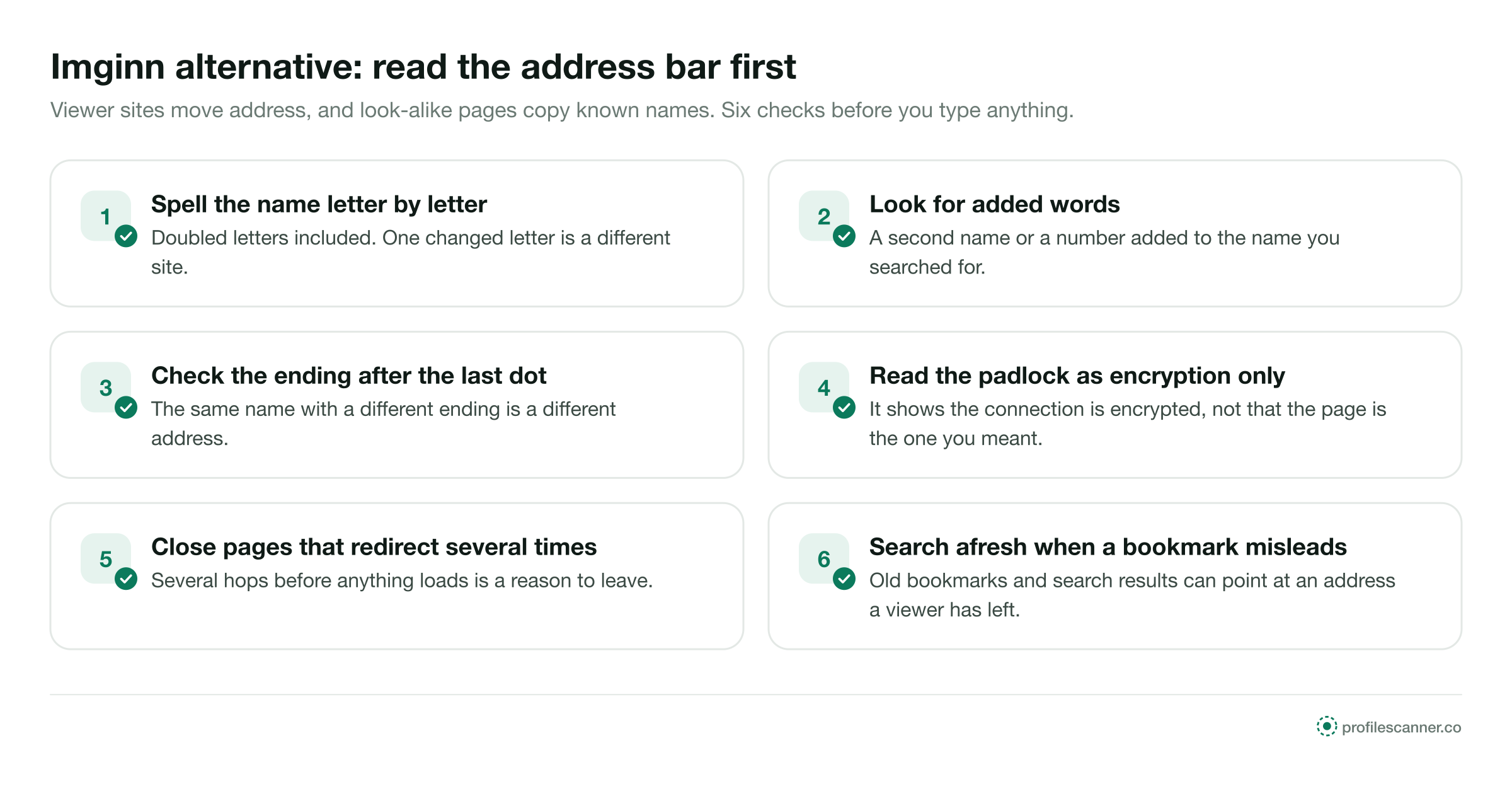
Viewer sites sometimes move to a new web address. When that happens, bookmarks, browser suggestions and older search results keep pointing at the old one. That address may show an error, a parked page, or a different site under a similar name.
Look-alike addresses are the part to watch. They copy a known name with a letter changed, a word added or a different ending, and the page can look like the one you expected. Reading the address bar takes a few seconds and comes before you type anything into the page.
Sites of this kind work from a public username and load what the account shows to any visitor, in the browser.
Photos and videos still live on the profile, in the order they were posted.
These reasons apply across the category. This page makes no statement about Imginn or any other single site.
Instagram limits automated access to its pages. When it blocks the route a viewer uses to load public content, the viewer shows errors until it changes how it works.
There is a cap on how many requests one source may make in a given time. A popular viewer can reach it and show empty profiles until the window resets. A long grid read on a computer reaches that cap sooner, as the Pixwox alternative page explains.
A viewer can move to a new domain. The old one may stop answering, or may later carry other content.
Heavy traffic can slow a viewer or stop it loading for a while, then it returns once fewer people use it at once.
Ask these in order. Most empty results are answered by the first two.
Read the address bar. If the name is spelled differently or carries extra words, close the page and search afresh.
Check the username is current and the account is public. A lock in the header means private; nothing more will load anywhere.
Stories leave after 24 hours. If the circle is empty, look at the highlights under the bio.
Type a public account you know into the viewer. If that fails too, the viewer is the cause, and a second one is the next step. The StoriesDown alternative page sets out the full one-minute test.
Start with the address, then the username. Nothing else should be asked of you.
Before you type, read the address bar. The name should match the site you searched for, letter by letter.
Type the public account's username. The header loads first, so you can confirm it is the right account.
Live stories play in order, and the highlights sit under the bio. The owner's list gains no name from you.
A viewer that failed during the day can still be useful in the evening, because not everything leaves with the story.
On a public account, any sound viewer plays it from the username until 24 hours have passed.
Unless the owner saved it to a highlight. Highlights stay under the bio and play like stories, at your own pace.
The owner can no longer read who watched. Highlights stay until the owner removes them.
A story stays live
The owner can read the viewer list
Per story, of signed-in accounts only
Each check takes seconds on the first screen. Together they separate a viewer built for public stories from a page built to collect something from you. A page that asks you to create an account first is covered on the Inflact alternative page.
No email, no phone number, no account of your own.
Never your Instagram login, at any step.
It runs in the browser, with no app or extension.
It says private accounts and Close Friends stories stay closed.
It plays stories in a phone's own browser, not only on a computer.
Type a public account you know and see that it loads the right stories.
Each kind gives up something different. For public stories and highlights, the differences are these.
Each one serves the page, not you. None of them is needed to play a public story.
A name spelled slightly differently, or with extra words, is not the site you searched for.
A public story needs no login. A password field on a viewer page collects accounts.
Public stories play without notifications or apps. A page that waits for either wants your permission, not your viewing.
Those stories reach approved accounts and no one else, so no site has them to give.
Each example is about a public account and an address or a story that had changed.


ProfileScanner is an independent guide. It is not affiliated with Imginn, Instagram or Meta. What is written here applies to story viewers of this kind in general. It cannot report whether any site is working today, and it makes no statement about the safety or ownership of any other site.
Short answers to what people ask when a story viewer stops loading or opens the wrong page.
Type a public username and open the viewer. No Instagram login on your side, no name on theirs.


