
Detail in a photo
A product, a menu, a floor plan or a piece of artwork reads better at a larger size.
For reading a public account's posts on a computer: the grid, each photo at size, every carousel slide, the caption and the comments. Why viewers of this kind stop loading, what to check, and how to choose another one.


What can you use when Pixwox is not working?
A post viewer that opens the grid in any browserA browser viewer opens a public account's grid from a username, with each post's photos, caption, date and comments, and no login. On a computer the photos open larger and long comment threads are easier to read. Check the account is public, then try a viewer that asks for nothing else.
Pixwox is one of the names people search for when they want to browse public posts without an account.
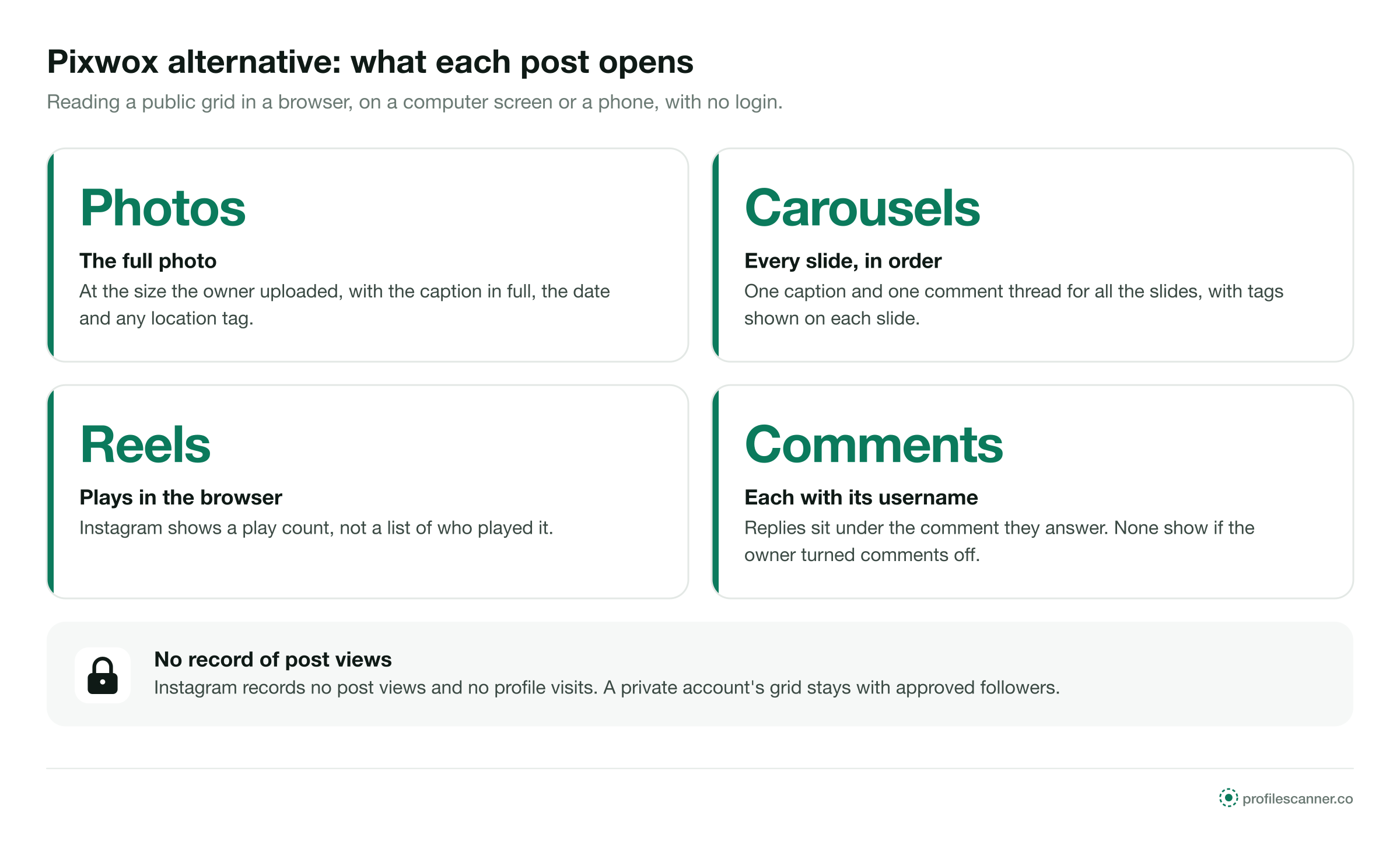
Instagram records no post views and no profile visits, for anyone.
This page covers post viewers of this kind in general. It cannot report any site's current status.
ProfileScanner is independent and not affiliated with Pixwox, Instagram or Meta.
Post viewers of this kind open a public account's grid in a browser window. On a computer, the photos open at a larger size, captions show in full, and a long comment thread fits on the screen with the photo beside it. Nothing needs installing, which matters on a work or shared computer. Follower counts and rates worked out from the same grid are covered on the Gramhir alternative page.
Instagram's own website, logged out, shows some of the grid and then asks you to log in. A viewer opens the whole public grid from the username. Instagram keeps no record of who looks at posts, so browsing them leaves nothing for the owner to find. What the viewer site and your network still see is set out on the Anon IG Viewer alternative page.


Prints and framing. New work on the wall every month.


Each one comes from the kind of post being read, not from the viewer.
A product, a menu, a floor plan or a piece of artwork reads better at a larger size.
Replies under replies are easier to follow with more of the thread on screen.
Recipes, event details and price lists often sit in the caption, in full.
Two browser tabs side by side, one account in each.
A browser is all it takes, on a work or shared machine.
Choose a kind of post to see what a viewer shows inside it.
At the size the owner uploaded, not the small crop shown on the grid.
In full, with any hashtags and mentions.
The day the post went up.
Where the owner added one.
Photos and videos, one at a time, in the order the owner set.
A carousel has one caption and one comment thread for all its slides.
Accounts tagged on a slide show on that slide.
The day the carousel went up.
Reels on the public grid play in the browser.
Below the video, in full.
The same thread as any other post.
Instagram shows a play count, not a list of who played it.
With the username that wrote it.
Under the comment they answer.
The owner can turn them off for a post. Then none show anywhere.
The owner can hide the number of likes. The comments still show.
A public grid runs newest first. Going back through it, these are the points you pass.
Posts the owner pinned sit first, ahead of newer ones. The rest follow newest first.
Photos, carousels and reels in the order they went up, each with its date.
The grid runs back to the first post the owner kept. Archived posts are missing from it.
The oldest post still on the grid. Nothing before it shows on any site.
Of who viewed a post, anywhere
Per post, carousel or reel
Is all a viewer needs
The same in any computer or phone browser.
Enter the public account's handle. No email address and no Instagram password.
Every public post, newest first, with pinned posts at the top.
The full photo or video, every carousel slide, the caption, the date and the comments.
These apply to post viewers as a group. None of them is a statement about Pixwox or any other single site.
A viewer loads the public pages Instagram serves. Instagram works to limit automated access, and a viewer that loads whole grids is the kind it limits. When the route is blocked, grids stop loading until the viewer changes its method.
A long grid means many requests. Instagram caps the requests one source can make in a set time, and a busy viewer can reach that cap part way down a grid.
A viewer can move to another domain. Bookmarks on a work computer keep pointing at the old one.
When many people browse at once, photos can load slowly or not at all until traffic falls.
An empty grid often comes from the account. These take a minute.
Copy the current handle from the person's or the business's own website or email signature.
A lock in the header means private. The grid stays closed on every site.
A count of zero means the grid is empty, or every post is archived.
Type a public account you know. If its grid fails too, switch to a second viewer.
Each check can be made on the first screen, on a computer or a phone. A viewer that passes all five is built for public posts. A page that fails one is not worth opening a second tab for.
Test it with a public account you have browsed before, so you know at once whether the grid is right.
Each one shows a different amount on a computer and asks for something different.
These appear on pages that want something from you. None of them opens a single post.
An extension can read the pages you open in that browser. A public grid opens in a plain tab.
Comments on a public post need no login. A password field collects accounts.
Instagram does not record post views. A page that offers the list has nothing to show.
Private posts go only to approved followers. No site has them to show.
Each example is about a public account and a viewer that stopped loading or asked for too much.


ProfileScanner is an independent guide. It is not affiliated with Pixwox, Instagram or Meta. This page covers post viewers of this kind in general, cannot report any site's current status, and makes no statement about the safety or ownership of any other site. The viewer that the buttons on this site link to is reviewed, with its prices, in the PeekViewer review.
Short answers to what people ask about browsing public posts.
Type a public username and open the viewer. No Instagram login on your side, no name on theirs.


