Viewers / Posts

Instagram post viewer

Open the posts on a public Instagram account without an account of your own: every photo, every carousel slide, the caption, the date and the comments, with no record of your visit.

  • No account
  • No login
  • Public accounts only
Printed square photos laid out in a grid on a wooden table
Post viewer · Example
maison.claire214 posts · public account
Posts Reels Tagged
Carousel · 4 slidesCaption, date and comments
2 Oct
Your visit · not recorded anywhere

Can you look at Instagram posts without an account?

Yes, on public accounts

An Instagram post viewer opens a public account's grid in the browser with no login. Instagram keeps no list of who viewed a post, so looking leaves nothing for the owner to find. Posts on private accounts stay closed.

Key points
  1. 1

    Instagram records no post views for anyone: only story views are listed.

  2. 2

    A post viewer opens photos, every carousel slide, reels, captions, dates and location tags.

  3. 3

    Likes and comments are readable on public posts unless the owner hid or turned them off.

  4. 4

    Private accounts keep their posts for the followers the owner approved.
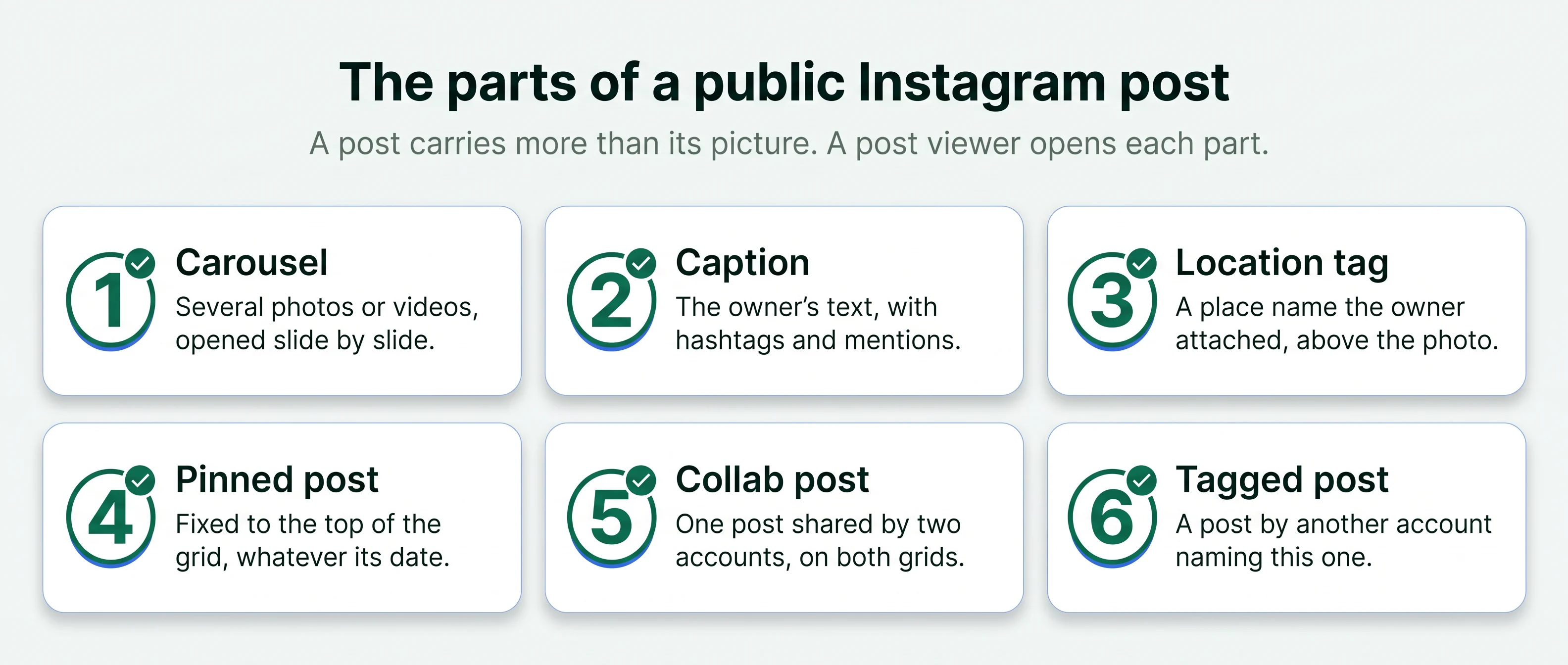
Six parts of an Instagram post: carousel, caption, location tag, pinned post, collab post and tagged post
The six parts of a public Instagram post, each of which a post viewer opens without a login. Free to share with a link to this page.
What you can see

The whole post, the way it was published.

An IG post viewer shows each public post with the details Instagram attaches to it, and no login wall.

Photos at full size

Each photo opens at the size it was uploaded, so a price tag or a menu board is readable.

Every carousel slide

Posts with several photos or videos open slide by slide, in the owner's order.

The caption and hashtags

The full caption, with its hashtags and the accounts mentioned in it.

Location tag and date

The place the owner tagged, if any, and the date the post went up.

Reels on the grid

Reels on the profile grid play in the browser with their caption and comments.

Likes and comments

The like count and the comment thread under each public post, where the owner has left them on.

How it works

Three steps from a username to a post.

The same on a phone, a tablet or a computer, with no Instagram login.

  1. 1

    Enter the username

    Type the public Instagram handle whose posts you want to see. The viewer needs that and nothing else from you.

  2. 2

    Open the profile

    The viewer loads the profile header in a new tab: the picture, the name, the bio and the counts above the grid. Longer videos in the grid play in the same way, covered on the Instagram video viewer page.

  3. 3

    Pick a post from the grid

    Tap any square to open the post. Swipe through a carousel, read the caption and scroll the comments.

Inside a post

The parts of a post, and what each one tells you.

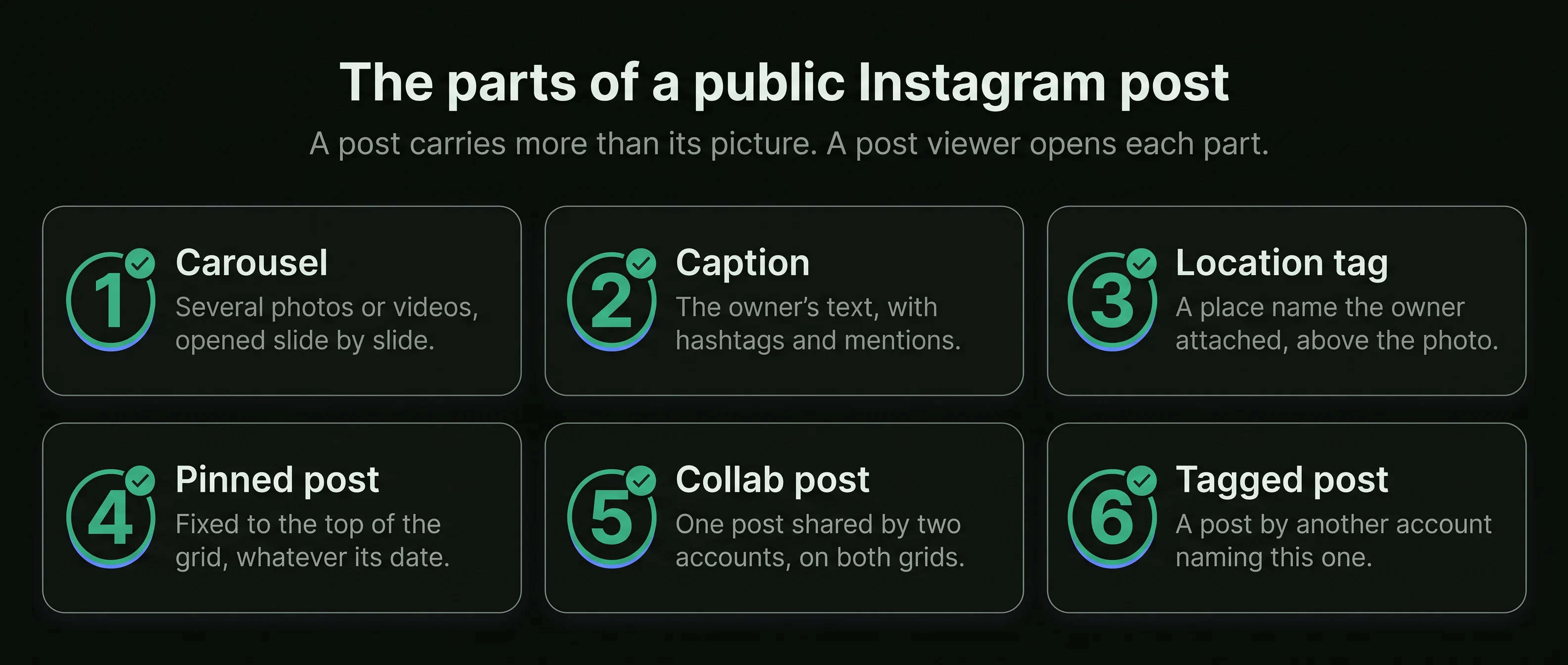
A single Instagram post carries more than its picture. The caption, the tags and the date often answer the question you came with: what something costs, where it is, and whether it is still current.

  1. 1
    Carousel

    A post with several photos or videos that you swipe through. A post viewer opens each slide.

  2. 2
    Caption

    The text under the post, written by the owner, with hashtags and mentions.

  3. 3
    Location tag

    A place name the owner attached to the post, shown above the photo.

  4. 4
    Pinned post

    A post the owner fixed to the top of the grid, whatever its date.

  5. 5
    Collab post

    One post shared by two accounts, shown on both grids with both names.

  6. 6
    Tagged post

    A post by another account that names this one on the photo itself.

Inside a post · Example
maison.claire and oak.tableLisbon, Portugal
53
Pinned to the top of the grid
4
1 of 41

maison.claire New linen in this week, sizes in the comments. #linen

2
Tagged: emma.carter · 2 October
6
What Instagram records

Who can see that you opened a post?

No one. Instagram keeps no list of post viewers, for the owner or anyone else. The one list it keeps is for stories, and a viewer stays off that one too.

In the app, signed inThrough a post viewer
Opening a photo postNo record shownNo record shown
Swiping through a carouselNo record shownNo record shown
Reading the commentsNo record shownNo record shown
Playing a reel from the gridYour name is not shownYour name is not shown
Tapping like by accidentThe owner sees your likeThere is no like button for you
Watching a story from the same profileYour name is on their listNo name on the list
The risk in the app is a stray tap

Signed in, a double tap on a photo likes it, and a like carries your name. A viewer has no account of yours to like with. Joining a live broadcast is different, because the host sees each account that joins, as the Instagram live viewer page explains.

Likes and comments

What a public post shows about the people around it.

On a public account, this is what is open to read under each post.

A woman looking through a small photo book on a café bench

The comment thread

Comments under a public post are open to read, with each writer's username and the replies beneath. An owner can switch comments off.

Questions answered in public

Shops and venues often answer price, size and opening-time questions in the comments.

The like count

Public posts show how many accounts liked them, unless the owner has hidden that number on the post.

What stays hidden

Direct messages, saves and shares are private. No viewer and no visitor can see who saved or sent a post.

Tagged photos

Photos other accounts tagged them in.

The Tagged tab on a public profile collects posts where other accounts have tagged that profile. For a shop or a venue, that means customer photos the business did not choose.

A tagged post follows the privacy of the account that posted it: a post from a private account shows only to that account's approved followers. Posts that other accounts tagged an account in sit in its Tagged tab, which the Instagram tagged photos viewer opens.

On the Tagged tab you can find

  • Customer photos of a shop's products in use
  • Guests' photos of a hotel, a restaurant or a venue
  • Collaborations and features on other creators' grids
  • Event photos the account appeared in
  • Each tagged post with its own caption, date and comments
Compared

Ways to see Instagram posts without logging in.

A post viewerInstagram's website, logged outA shared post linkA second account
Opens the whole grid YesA few posts, then a login promptOne post only Yes
Every carousel slide YesUntil the login prompt Yes Yes
Comments and like count YesPartlyPartly Yes
Tagged tab Yes No No Yes
Needs an Instagram login No No No Yes
Who uses it

What people open posts for.

Emma CarterChoosing a florist
Example
The situation
Emma needed flowers for a birthday. A florist's carousels show each bouquet from several angles, with prices in the captions.
What they did
She swiped through the carousels in a post viewer and ordered by phone.
Claire DuboisReading the comments
Example
The situation
Claire was choosing a pilates studio. The comments under a studio's posts show how members talk about the classes.
What they did
She read the threads under the studio's recent posts and booked a first class.
Daniel MoreauHiring a photographer
Example
The situation
Daniel needed a photographer for a family dinner. A photographer's grid is the portfolio, and the dates show whether the work is recent.
What they did
He checked the latest post dates and the Tagged tab for clients' photos before writing to one.
Lena HoffFinding a stall
Example
The situation
Lena was looking for a flower stall from a weekend market. The stall tags each market it attends.
What they did
She opened the newest post in her phone's browser, read the location tag and found the stall.
Is it right for you

Good for, not for.

A post viewer is good for

  • Reading a public account's posts, captions and comments without an account
  • Checking dates and location tags before you visit, buy or hire
  • Seeing every slide of a carousel at full size

A post viewer is not for

  • Posts on private accounts
  • Seeing who saved, shared or messaged about a post
  • Liking, commenting or following
Posts on a private account stay closed.

A private account shows its header to everyone and its posts only to the followers the owner approved. A post viewer reaches public accounts only. A site that offers private posts is not telling the truth. Six checks that tell a sound viewer from such a site are on the Iganony alternative page.

Before you start

Four checks before you use any post viewer.

A post viewer works from a public username. If a page asks for more than that, it is asking for something it does not need. Follower checks on your own account, such as who unfollowed you, need no more than that either.

Check that the viewer

  • Asks for a public username and no Instagram password
  • Runs in the browser with nothing to install
  • Makes no claim to open private posts
  • Shows any paid plan on screen before you enter payment details

Last reviewed 4 October 2026Facts checked against Instagram's help pages

What changed
  • New page: photos, carousels, captions, likes, comments and tagged photos on public posts
  • What Instagram records: no post views for anyone, only story viewers
Questions

About viewing posts unseen.

Short answers to what people ask before they use an Instagram post viewer.

01Does Instagram tell someone I looked at their post?
No. Instagram does not record who views a post, signed in or not. The only list it shows an owner is the list of accounts that watched a story.
02Can I see every photo in a carousel?
Yes. An Instagram post viewer opens each slide of a public carousel in the owner's order, photos and videos alike.
03Can I read the comments on a post?
Yes, on a public post, unless the owner has turned comments off for that post. Each comment shows with the username that wrote it.
04Can I see posts from a private account?
No. A private account's posts are shown only to followers the owner has approved. No website or app can open them.
05Can I see when a post was published?
Yes. Each public post carries the date it was published.
06Can I see the photos other people tagged someone in?
For a public account, yes: the Tagged tab lists posts other accounts tagged it in, where those accounts are public.
07Does a post viewer play reels?
Yes. Reels that sit on a public profile's grid open and play like any other post, with their caption and comments.
08Do I need the app or an Instagram account?
No. The viewer runs in the browser on an iPhone, an Android phone or a computer, and nothing asks for a login.
09Why is a post missing from the grid?
The owner may have deleted or archived it, switched the account to private, or changed the username.
10Is this site part of Instagram?
No. ProfileScanner is an independent guide and is not affiliated with Instagram or Meta.
11Does PeekViewer keep posts after they are deleted?
Its FAQ says that once the data is uploaded, content the person later deletes stays stored in your space on PeekViewer. Instagram's own app shows only what is still posted. Its prices and limits are in our review.
12Can I see every slide of a carousel?
Yes. A public carousel opens slide by slide, up to 20 photos and videos in one post. The guide to Instagram carousel terms explains the dots, the cover and how likes are counted.
Ready when you are

Look first. Stay unseen.

Type a public username and open the viewer. No Instagram login on your side, no name on theirs.

A woman relaxing on a sofa, looking at her phone
Open the viewer